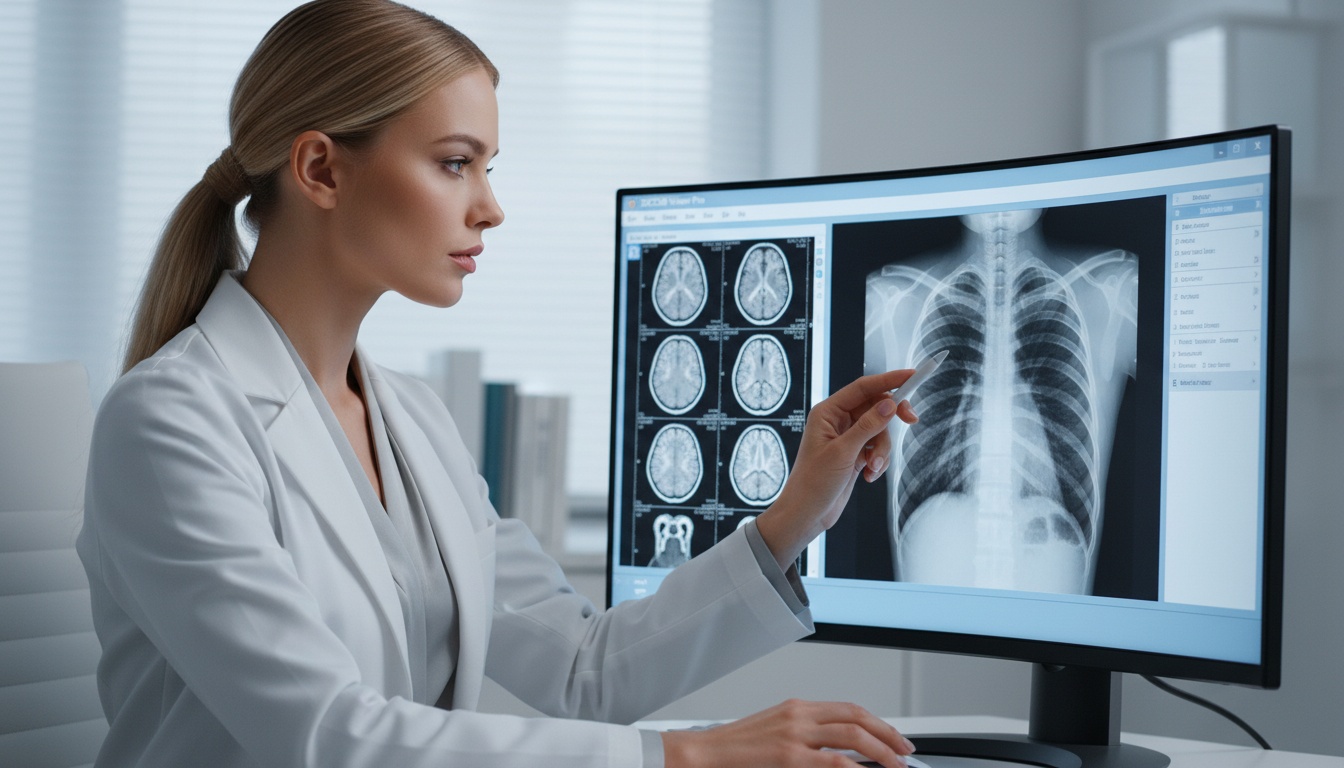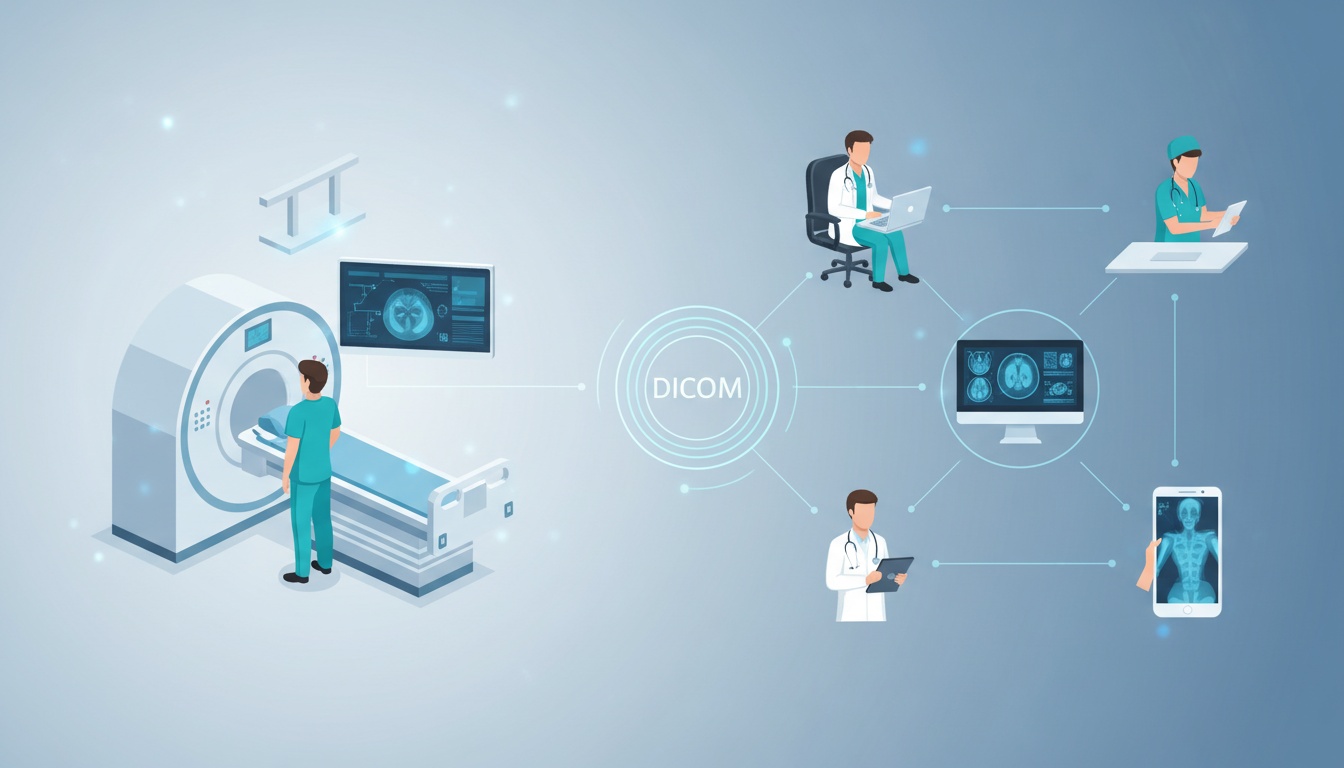
Healthcare is not about being in a hospital room with a big machine that takes pictures. Doctors and nurses make decisions about patient care in lots of places: special offices for taking pictures emergency rooms, their own homes and even on their phones when they are on call. As healthcare becomes more spread out the way we look at pictures and share information has to change
In the past doctors would look at pictures on a computer in the hospital. This was fine when they were in the hospital. It was a problem when they needed to look at pictures from home or work with other doctors at different hospitals. They had to use a computer and special software, which made it hard to get work done.
Now we have ways of looking at pictures that work on lots of different devices, like computers, tablets and phones. This is a change, not just a small update. It means doctors can look at pictures and make decisions from anywhere without being tied to one computer. This changes how we work together how we make decisions and how quickly we can help patients.
For hospitals and healthcare organizations this is not just about making things easier. It is about being more efficient saving money and being able to take care of patients. We need to understand how this new way of looking at pictures works and how it affects our work so we can make good choices, about new technology.
• Multi-device Compatibility Gets Rid Of The Need For Fixed Radiology Workstations.
• Web-based Dicom Viewers Give Access To Medical Images On Desktops, Tablets And Smartphones.
• Cross-platform Viewing Makes Consultations And Teamwork Between Different Departments Much Better.
• Zero-footprint Architecture Makes It Deployment And Maintenance Easier.
• Large Healthcare Organizations Benefit From Infrastructure And Better Disaster Recovery.
• Secure Image Streaming And Encryption Protocols Protect Data On All Devices.
• Multi-device Dicom Access Helps Telemedicine And Distributed Care Models.
Multi-device compatibility in DICOM viewers means a medical imaging system can show full diagnostic images on different devices and operating systems without needing special installations.
This is achieved through:
• Browser-based Rendering Engines
• Client Or Zero-footprint Architecture
• Cloud-hosted Image Storage And Streaming
• Standardized Communication Protocols Like Dicomweb
Clinicians access images through a secure web interface. The viewer runs in the browser, processing and rendering images on the fly. This creates a viewing experience across platforms.
Traditional PACS systems rely on installed applications tied to operating systems. These need:
• Manual Deployment
• Version Control Management
• Device-specific Compatibility Checks
• Periodic Software Updates
This model increases IT overhead and creates problems. Remote access often requires VPN configurations and scaling to devices can be time-consuming.
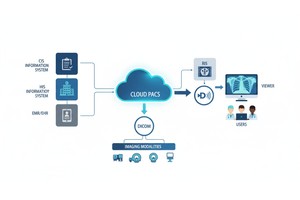
Web-based DICOM viewers change this model. Images are stored centrally in cloud or hybrid infrastructure. When accessed studies are streamed securely to the client device. The rendering engine operates in the browser using technologies like HTML5 and WebGL.
This architectural evolution produces advantages:
• Device Independence
• Centralized Updates
• Reduced Endpoint Maintenance
• Faster Deployment
• Onboarding Of Remote Clinicians
It enables imaging access wherever clinical decisions occur, not just where dedicated workstations exist.
Multi-device compatibility is not a convenience feature. Its real value lies in reducing friction within workflows. Imaging is central to diagnosis, treatment planning and interdepartmental coordination.
Modern healthcare systems operate in distributed environments. Specialists move between facilities. Radiologists cover hospitals. Surgeons review studies outside operating rooms.
Multi-device DICOM access removes device limitations. Changes how time, location and collaboration intersect in clinical practice.
Diagnostic delays happen when doctors and other medical people cannot see the pictures they need to make decisions.
In traditional environments:
• A Radiologist Doc May Have To Go To Their Desk To Look At A Patients File.
• A Doctor Who Sent The Patient For A Test May Have To Wait For A Report Of Looking At The Pictures Themselves.
• A Doctor On Call May Need To Use A Connection And Special Programs On Their Computer Before They Can Look At A Patients File.
With browser-based multi-device compatibility:
• This Means That Doctors Can Look At Pictures On Their Laptop At Home When They Are On Call.
• Doctors In The Emergency Room Can Look At Pictures On A Tablet While They Are Moving Around The Hospital.
• Consultants Can Quickly Open Studies Without Waiting For Workstation Allocation.
This is not about getting to the pictures faster it also means that doctors can keep working without being interrupted. Doctors can make decisions at the time they are moving around and talking to other people they do not have to be tied to a specific place.
Nowadays doctors and hospitals work together a lot. This includes things, like tumor boards teams that respond to strokes, trauma consultations and specialty referrals, which often have doctors in places.
When imaging systems are multi-device compatible:
• Specialists Can Simultaneously Review The Same Study From Different Locations.
• Annotations And Measurements Can Be Shared In Real Time.
• Discussions Can Occur While Images Are Visible To All Participants.
This improves:
• Case Clarity
• Consensus Building
• Time-to-treatment
In telemedicine contexts, multi-device DICOM viewing becomes foundational. Without it, remote consultation depends heavily on secondary summaries rather than direct imaging review, which may reduce diagnostic confidence.
Emergency care environments need imaging access. Stroke protocols, trauma triage, and critical care decisions rely on image interpretation. In systems that only work on one device access limitations can cause delays. If imaging is only available on fixed workstations-
• Coverage Flexibility Decreases.
• Backup Specialists May Struggle To Access Systems.
• Surge Capacity During Peak Hours Becomes Hard To Manage.
Multi-device compatibility enables:
• Rapid Remote Coverage During Night Shifts.
• Scalable Staffing Across Facilities.
• Continuity During System Disruptions.
In resource-limited areas this capability is even more impactful. A specialist in a hospital can review imaging from a smaller facility without needing local installation of complex PACS infrastructure.
Complex cases need input from specialties: radiology, oncology, surgery, pathology and internal medicine. These reviews often happen in conferences or hybrid meetings.
Multi-device DICOM access supports:
• Projection Of Live Imaging Through Browser-based Viewers.
• Individual Review By Participants On Personal Devices.
• Annotation Sharing Across Departments.
• Asynchronous Follow-up Review After Meetings.
This flexibility improves continuity. Participants are not limited to a viewing terminal. They can revisit cases from their devices reinforcing collaborative decision-making.
Workflow efficiency is not just clinical; it's also about reliability. Device-dependent systems create IT friction through:
• Software Installation Issues
• Compatibility Conflicts
• Version Inconsistencies
• Delayed Updates
Zero-footprint multi-device architectures centralize viewer updates and eliminate endpoint management complexity. When improvements are deployed centrally, all users benefit immediately without intervention.
This reduces:
• Support Tickets
• Downtime
• Operational Risk
For large healthcare organizations these indirect workflow gains are often as important as clinical speed improvements.
Multi-device compatibility in DICOM viewers is not achieved through simple interface adjustments. It depends on decisions at the protocol, rendering and infrastructure levels.
Modern web-based DICOM systems rely on communication protocols, browser-native rendering technologies, secure streaming mechanisms and centralized infrastructure models.
Traditional DICOM communication relies on DIMSE. DICOMweb introduces APIs that allow imaging studies to be requested, retrieved and managed using standard HTTP/HTTPS protocols.
DICOMweb is a way to make it easier to work with images on the web. It uses internet protocols to let people request, get and manage medical imaging studies. This is a deal for looking at medical images in a web browser because
• Web Browsers Can Talk To The Internet Using Standard Protocols.
• We Can Send Images Over The Internet In A Secure Way.
• It Is Easier To Work With Cloud Services.
DICOMweb usually has some services that help with this. These services are
• Wado-rs, Which's A Way To Get To Medical Images Over The Web.
• Qido-rs, Which Is A Way To Search For Medical Images.
• Stow-rs, Which Is A Way To Store Images Over The Web.
These services let medical images be sent to devices on the internet in a way that's easy to work with. The device that is looking at the images only gets the parts it needs which helps the internet connection work better and makes the images show up faster.
Without DICOMweb it is a lot harder to look at images on different devices using a web browser. DICOMweb makes it possible to look at images, on lots of different devices, which is really useful.
A zero-footprint viewer is a web-based imaging interface that requires no installation on the client device. All processing logic resides either in the browser runtime environment or on servers.
This architecture produces several structural advantages:
• No Software Installation On Desktops Or Mobile Devices
• No Os-specific Deployment Requirements
• Centralized Updates And Version Control
• Immediate Access From Any Authorized Device
In traditional systems, updates must be pushed to each workstation individually. In zero-footprint environments, enhancements are deployed server-side, becoming instantly available to all users.
From a governance perspective, this significantly reduces IT complexity and endpoint risk exposure.
People often worry about how browser-based DICOM viewers work. When doctors look at pictures from things like CT scans, MRI scans and 3D pictures they need a lot of power to make it work.
Modern viewers use something called WebGL, which's a way for the browser to use the computers graphics power. This helps with things like:
• Real-time Image Manipulation
• Smooth Zoom And Pan Operations
• Multiplanar Reconstruction
• 3d Visuals Support
This narrows the historical performance gap between installed desktop viewers and browser-based solutions.
Advanced viewers may also use progressive streaming and intelligent caching to ensure that only necessary image data is loaded at any given moment, further optimizing performance across different device types.
Healthcare imaging systems have to follow rules to protect data. When many devices can access the system it can be more vulnerable so security is really important.
Modern cloud-based systems for viewing images usually have:
• Tls-encrypted Communication For Secure Connections
• Access Control Based On User Roles
• Extra Verification Steps For Users
• Controls To Manage User Sessions
• Logging To Track What Happens
These systems do not store all the images on devices permanently. Instead images are streamed for a time and shown in controlled sessions. This makes it safer in case a device is lost or stolen.
Good systems also support:
• Configuring Where Data Is Stored
• Keeping Data Encrypted
• Following Rules Like Hipaa, Gdpr And Others For Healthcare
Having many devices work with the system doesn't have to make it less secure. In fact having one control can make it easier to manage and more secure, than having many separate systems.
Medical imaging datasets can be large, especially in CT and MRI modalities. Efficient multi-device systems rely on:
• Compression Algorithms
• Adaptive Image Resolution Scaling
• On-demand Slice Loading
• Metadata-first Rendering
These techniques ensure that:
• Mobile Devices Can Access Studies Without Excessive Delay.
• Network Congestion Does Not Degrade Usability.
• Rural Or Lower-bandwidth Facilities Remain Operational.
Bandwidth-aware streaming is one of the most important, yet often overlooked, components of successful cross-device imaging infrastructure.
While clinicians experience the immediate workflow benefits of multi-device DICOM viewing, enterprise healthcare organizations evaluate imaging platforms through a broader lens. Infrastructure costs, operational resilience, scalability, compliance, and governance frameworks all influence technology adoption decisions.
Multi-device compatibility reshapes imaging infrastructure economics and operational strategy. It shifts imaging from a device-bound model to a centrally governed, scalable system aligned with modern healthcare delivery models.
Traditional workstation-based PACS environments require:
• Dedicated High-performance Hardware
• Software Licensing Per Installation
• Ongoing Maintenance And Compatibility Management
• Physical Space Allocation
As device counts increase, so do deployment and lifecycle costs.
Web-based multi-device architectures reduce hardware dependency. Because the viewer operates within a browser environment:
• Standard Enterprise Laptops May Suffice For Many Workflows.
• Hardware Refresh Cycles Can Be Extended.
• New Users Can Be Onboarded Without Specialized Installation Processes.
Centralized hosting—whether cloud-based or hybrid—consolidates storage and computing resources, improving utilization efficiency. Organizations avoid the duplication of compute capacity across multiple endpoints.
Over time, this model often results in lower total cost of ownership (TCO).
Healthcare delivery is increasingly decentralized. Radiologists may cover multiple hospitals. Specialists frequently consult across regions. Telehealth programs continue expanding.
Multi-device compatibility supports this mobility by:
• Allowing Secure Access From Approved Remote Environments.
• Reducing Reliance On Physical Presence In Imaging Departments.
• Supporting Hybrid Workforce Models.
For enterprise systems operating across multiple facilities, this flexibility improves staffing resilience. Coverage gaps can be filled without deploying additional on-site infrastructure.
This capability becomes particularly valuable in:
• Rural Healthcare Networks
• Regional Hospital Systems
• Cross-border Teleconsultation Programs
Imaging systems must remain operational during:
• Natural Disasters
• Local Hardware Failures
• Cybersecurity Incidents
• Facility Outages
Traditional workstation-based models are vulnerable when physical sites become inaccessible.
Cloud-hosted, multi-device architectures enhance continuity by:
• Centralizing Data Storage With Redundancy.
• Enabling Remote Access If Primary Facilities Are Disrupted.
• Allowing Clinicians To Continue Operations From Alternate Locations.
When properly configured with geographic redundancy and secure failover protocols, web-based systems provide stronger resilience than single-site PACS deployments.
Business continuity planning increasingly favors distributed access capabilities.
Multi-device access may initially appear to increase security complexity. In practice, centralized architectures often strengthen governance.
In a workstation-dependent environment:
• Each Endpoint Represents A Potential Vulnerability.
• Software Patching Must Occur Across Numerous Devices.
• Version Inconsistencies May Introduce Risk.
In centralized web-based systems:
• Updates Are Deployed Server-side.
• Access Policies Are Enforced Uniformly.
• Audit Logs Capture Activity Across All Sessions.
• Endpoint Storage Of Imaging Data Is Minimized.
Role-based access controls, authentication layers, and session monitoring can be managed from a single administrative interface.
For compliance officers and IT security teams, centralized visibility simplifies oversight.
Healthcare organizations evolve. They acquire new facilities, expand specialty services, and integrate additional providers.
Multi-device DICOM viewing simplifies scaling because:
• New Users Require Credentials, Not Installations.
• Additional Facilities Connect To Centralized Infrastructure.
• Hardware Requirements Remain Flexible.
Scaling in a traditional PACS environment may involve:
• Purchasing Additional Workstation Licenses
• Installing New Local Servers
• Coordinating Multi-site Deployment
In contrast, cloud-based multi-device systems allow capacity expansion through infrastructure scaling rather than endpoint replication.
This supports long-term growth without proportional increases in operational complexity
Healthcare organizations evaluating imaging infrastructure often face a strategic question: should they continue relying on workstation-dependent PACS environments, or transition toward web-based, multi-device-compatible systems?
The distinction is not merely about interface convenience. It reflects differences in deployment philosophy, scalability, governance, and long-term operational flexibility.
Below is a structured comparison to clarify the architectural and operational differences.
| Category | Traditional Installed PACS | Web-Based Multi-Device DICOM Viewer |
| Deployment Model | Software installed on dedicated workstations | Browser-based, zero-footprint access |
| Device Dependency | Tied to specific OS and hardware | Cross-platform (desktop, laptop, tablet, smartphone) |
| Remote Access | Often requires VPN + local installation | Secure browser access over HTTPS |
| Update Management | Manual endpoint updates | Centralized server-side updates |
| IT Maintenance | High endpoint management overhead | Reduced endpoint complexity |
| Scalability | Requires additional workstation deployments | Scales through centralized infrastructure |
| Disaster Recovery | Dependent on local hardware resilience | Supports remote continuity with centralized storage |
| Collaboration Support | Limited simultaneous multi-location access | Real-time multi-user collaboration |
| Bandwidth Handling | Often optimized for internal networks | Designed for adaptive streaming over public networks |
| Security Governance | Distributed patching and local storage risk | Centralized control and encrypted streaming |
Strategic Interpretation of the Differences
Traditional PACS systems were designed for controlled hospital networks where imaging review occurred in fixed reading rooms. The infrastructure assumption was physical proximity to imaging hardware.
Web-based systems assume distributed access from the outset. They are built around centralized storage and controlled streaming rather than local installation.
Single-device environments limit where and how imaging decisions occur. They require clinicians to move toward infrastructure.
Multi-device environments allow infrastructure to move toward clinicians.
This inversion significantly reduces operational friction, particularly in:
• Emergency Coverage
• Hybrid Work Models
• Cross-institutional Collaboration
• Telemedicine Workflows
Endpoint-heavy systems increase surface area for:
• Version Inconsistencies
• Unpatched Vulnerabilities
• Data Exposure Risks
Centralized web-based architectures consolidate governance. When updates occur, all users benefit immediately without local deployment cycles.
From a risk management perspective, this reduces variability and improves auditability.
Healthcare systems increasingly prioritize:
• Interoperability
• Distributed Workforce Models
• Remote Patient Engagement
• Cloud-native Infrastructure
Multi-device DICOM viewers align more naturally with these strategic directions.
This does not mean traditional PACS environments are obsolete. Many hybrid models exist. However, organizations planning for growth and resilience increasingly evaluate browser-based, cross-platform access as a core requirement rather than an optional feature.
Multi-device DICOM compatibility does not benefit a single category of healthcare provider. Its impact varies depending on institutional structure, geographic distribution, and clinical specialization. Examining practical use cases clarifies why cross-platform access is increasingly considered a foundational capability rather than a convenience feature.
Teleradiology groups often serve multiple hospitals across regions or countries. Radiologists may interpret studies from home offices, centralized reading hubs, or rotating facilities.
In this environment, workstation-dependent systems create operational rigidity. Each reading location must maintain compatible software installations, hardware standards, and secure connectivity configurations.
Multi-device web-based viewers simplify this model:
• Radiologists Log In Through Secure Browser Interfaces.
• Studies Are Streamed Dynamically.
• Coverage Can Scale Without Additional Workstation Deployment.
• Cross-time-zone Collaboration Becomes Seamless.
This flexibility allows teleradiology providers to manage fluctuating volumes and maintain service continuity without infrastructure duplication.
Smaller hospitals and clinics often lack the budget or IT personnel to maintain complex PACS infrastructure.
Multi-device compatibility offers structural advantages:
• Minimal Local Hardware Requirements.
• Reduced Dependency On Dedicated Imaging Workstations.
• Access To Specialist Consultation From Urban Centers.
A rural emergency department, for example, can upload imaging studies to centralized infrastructure and allow remote radiologists to review them immediately. Local clinicians can simultaneously access the same images on tablets or laptops, supporting coordinated care.
This model improves access equity without requiring expensive local deployments.
Academic institutions frequently involve multiple stakeholders in case review:
• Attending Physicians
• Residents
• Fellows
• Medical Students
• Multidisciplinary Specialists
Educational case discussions often occur in conference rooms or hybrid virtual settings.
Multi-device DICOM viewing enables:
• Simultaneous Review Of Live Imaging Across Participant Devices.
• Remote Participation In Teaching Conferences.
• Annotation Sharing During Instruction.
• Asynchronous Review Of Teaching Cases.
Because the viewer is browser-based, institutions avoid installing complex imaging software on numerous student devices. Access can be credential-controlled while maintaining governance standards.
This supports scalable medical education without compromising security.
Large healthcare systems may operate across multiple campuses. Imaging data must move securely between facilities to support referrals, transfers, and shared specialty services.
Device-independent access supports:
• Cross-facility Case Review.
• Unified Imaging Access Across Locations.
• Reduced Duplication Of Infrastructure.
• Faster Coordination During Patient Transfers.
When a patient moves between facilities, imaging does not remain siloed in a single location. Authorized providers can access studies through centralized systems regardless of physical site.
This reduces redundancy and supports continuity of care.
Independent imaging centers often collaborate with referring physicians across various clinics.
Multi-device DICOM viewers allow referring providers to:
• Review Imaging Through Secure Browser Portals.
• Access Studies Without Installing Specialized Software.
• Share Imaging Directly With Patients During Consultations.
This improves referral relationships and enhances patient engagement. Referring physicians gain faster access to diagnostic data, reducing delays in follow-up treatment planning.
Research environments frequently require:
• Secure Sharing Of Anonymized Imaging Datasets.
• Cross-institutional Collaboration.
• Controlled Access Permissions.
• Audit Logging For Regulatory Compliance.
Browser-based multi-device systems simplify controlled distribution of imaging datasets without installing specialized tools at each participating site.
Investigators can access studies through authenticated web portals while administrators maintain centralized governance over permissions and data security.
Despite its advantages, healthcare organizations often approach multi-device DICOM access with legitimate technical and clinical questions. Addressing these concerns directly improves decision clarity and reduces adoption hesitation.
Multi-device compatibility does not automatically imply diagnostic compromise. However, clinical use depends on context.
Modern web-based DICOM viewers can support diagnostic-grade functionality on appropriately sized and calibrated displays. For primary diagnostic interpretation, institutions typically maintain standards regarding monitor resolution, luminance calibration, and ambient lighting conditions.
Mobile devices are often used for:
• Secondary Review
• Consultation
• Emergency Triage
• Preliminary Interpretation
When supported by GPU-accelerated browser rendering and high-resolution displays, browser-based viewers can approach workstation-level functionality. However, institutions should define clear clinical governance policies regarding primary diagnostic use on mobile hardware.
Security depends on implementation, not delivery method.
Enterprise-grade multi-device DICOM platforms typically incorporate:
• End-to-end Tls Encryption
• Encrypted Storage At Rest
• Role-based Access Controls
• Multi-factor Authentication
• Detailed Audit Logging
Because images are streamed rather than permanently downloaded to endpoints, exposure risk may actually decrease compared to locally stored files.
Centralized control also enables faster security updates and patch deployment across the entire user base.
Bandwidth needs vary by modality and study size.
Modern systems mitigate network strain through:
• Progressive Streaming
• Adaptive Image Compression
• On-demand Slice Retrieval
• Intelligent Caching
CT and MRI studies with large datasets may require stable broadband connectivity for optimal performance. However, properly optimized viewers are designed to function across a range of network conditions.
Healthcare organizations evaluating platforms should test performance under realistic network scenarios.
Advanced imaging capabilities increasingly operate within browser environments using GPU acceleration technologies such as WebGL.
Depending on device performance and viewer architecture, browser-based systems can support:
• Multiplanar Reconstruction (mpr)
• Maximum Intensity Projection (mip)
• Basic 3d Volumetric Rendering
Highly intensive processing tasks may still perform best on higher-powered devices. However, the historical performance gap between installed desktop viewers and browser-based systems continues to narrow.
Integration typically relies on:
• Dicom Standards
• Dicomweb Apis
• Hl7 Messaging
• Fhir Interfaces
Web-based viewers are often designed to interoperate with existing healthcare information systems through standardized communication protocols.
Before implementation, organizations should assess:
• Compatibility With Current Infrastructure
• Data Migration Requirements
• Identity Management Integration
• Single Sign-on Capabilities
Modern platforms are increasingly built with interoperability as a design principle rather than an afterthought.
Expanding device access increases potential entry points, but risk exposure depends on governance controls.
Well-designed multi-device systems mitigate risk through:
• Strict Authentication Policies
• Ip Restrictions Where Required
• Session Timeout Controls
• Device Authorization Tracking
• Centralized Access Revocation
In many cases, centralization reduces risk compared to distributed workstation installations where patch management may vary.
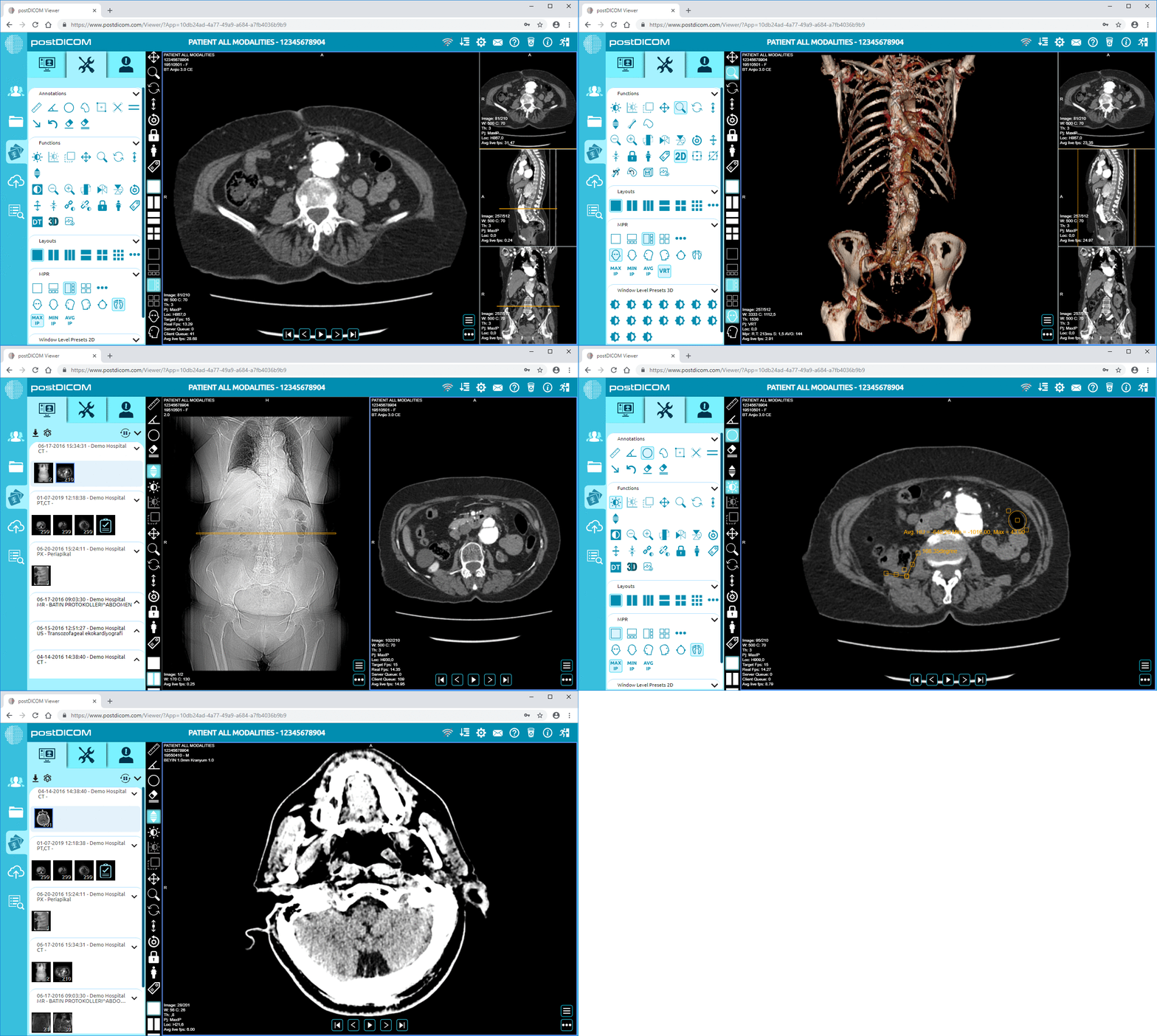
 - Created by PostDICOM.jpg)
The architectural principles discussed throughout this article—browser-based rendering, DICOMweb communication, secure streaming, and centralized governance—must be implemented cohesively to achieve reliable multi-device compatibility.
PostDICOM’s cloud-based imaging platform is structured around these modern design principles. Rather than adapting legacy workstation models to web access, the platform is built to support distributed, device-independent workflows from the foundation.
PostDICOM operates on centralized cloud infrastructure, allowing imaging data to be securely stored, managed, and streamed without dependency on local workstation installations.
This model supports:
• Remote Access From Authorized Devices
• Centralized Version Control
• Simplified Onboarding Of New Users
• Reduced Endpoint Management Overhead
By centralizing processing and storage, the platform minimizes variability between devices while maintaining consistent user experience across desktops, laptops, tablets, and smartphones.
The viewer operates within standard web browsers, eliminating the need for software installation. This zero-footprint approach enables:
• Immediate Access Through Authenticated Login
• Consistent Functionality Across Operating Systems
• Rapid Deployment In Multi-site Environments
Imaging studies are streamed securely via encrypted HTTPS communication. Access is governed by role-based permissions, ensuring that users only view authorized studies.
Because rendering occurs within a controlled browser session, images are not permanently stored on endpoint devices, reducing data exposure risk.
Multi-device functionality must coexist with existing healthcare infrastructure. PostDICOM supports interoperability through:
• Dicom And Dicomweb Compatibility
• Integration Pathways With Ris And His Systems
• Secure Data Exchange Mechanisms
This allows healthcare organizations to adopt web-based viewing without replacing their entire ecosystem.
Hybrid environments—where local PACS infrastructure coexists with cloud-based access—can be supported during transition phases.
As healthcare networks expand, imaging systems must scale without proportional increases in IT complexity.
PostDICOM’s architecture supports:
• Rapid Addition Of New Users
• Cross-facility Access
• Remote Specialist Consultation
• Multidisciplinary Collaboration
Because deployment is centralized, expansion involves credential provisioning rather than endpoint configuration.
This aligns with modern healthcare models where teams operate across geographic boundaries.
Enterprise healthcare systems require transparent audit trails and access control.
PostDICOM incorporates:
• Role-based Access Control
• Authentication Safeguards
• Session Logging
• Data Encryption In Transit And At Rest
Centralized oversight simplifies compliance management compared to fragmented workstation environments.
For organizations operating under HIPAA, GDPR, or regional regulatory frameworks, governance controls are integrated into the platform architecture rather than layered on afterward.
Multi-device compatibility in DICOM viewing is not the final stage of imaging evolution. It represents an intermediate milestone in a broader transformation toward fully distributed, intelligent, and interoperable healthcare ecosystems.
As healthcare delivery continues to decentralize, imaging systems must adapt to increasing mobility, higher data volumes, AI integration, and global collaboration. Several technological trends are shaping the next phase of cross-device medical imaging.
Artificial intelligence is becoming embedded within imaging workflows. Traditionally, AI processing occurred in centralized servers or dedicated diagnostic workstations.
Future-ready multi-device platforms increasingly support:
• Ai-driven Triage Alerts
• Automated Anomaly Detection Overlays
• Quantitative Measurement Assistance
• Structured Reporting Suggestions
When integrated into browser-based viewers, AI insights can be visualized across devices without requiring specialized installations.
This allows radiologists and clinicians to access algorithm-enhanced imaging insights whether reviewing from a reading room workstation or a secure remote device.
While cloud infrastructure centralizes control, edge computing is emerging as a complementary strategy.
In hybrid models:
• Preliminary Processing May Occur Closer To The Imaging Modality.
• Optimized Data Subsets Are Streamed To Central Systems.
• Latency-sensitive Workflows Benefit From Localized Acceleration.
Multi-device compatibility in such environments will rely on seamless coordination between cloud platforms and distributed nodes.
Healthcare organizations may adopt blended architectures that combine centralized governance with localized performance optimization.
Browser technologies continue to evolve rapidly. GPU acceleration, progressive streaming, and WebAssembly frameworks are narrowing the performance gap between installed applications and web-based viewers.
Future browser-native capabilities may include:
• Advanced 3d Volumetric Rendering
• Real-time Collaborative Annotation
• Multi-user Synchronized Review Sessions
• Ar/vr Integration For Surgical Planning
As browser engines become more powerful, device limitations will further diminish.
Healthcare systems increasingly collaborate across regions and countries. Telemedicine programs, international clinical trials, and cross-border specialist consultations require imaging systems that function consistently regardless of device or geography.
Multi-device DICOM compatibility enables:
• Standardized Access For Global Partners
• Rapid Specialist Consultation Without Infrastructure Replication
• Unified Imaging Review Platforms Across Time Zones
As healthcare globalization expands, device-independent access becomes foundational rather than optional.
Future imaging platforms may extend secure viewing capabilities beyond clinicians.
With appropriate governance controls, patients may:
• Access Their Imaging Studies Through Secure Portals
• Share Imaging With Secondary Providers
• Engage More Actively In Treatment Discussions
Multi-device compatibility supports this shift toward transparency and participatory care models.
Recent global events have demonstrated the importance of operational flexibility. Healthcare systems must maintain continuity during pandemics, natural disasters, and infrastructure disruptions.
Distributed imaging access supported by multi-device architectures strengthens resilience. Clinicians can continue operations regardless of physical site accessibility.
Future-ready healthcare infrastructure will prioritize flexibility, redundancy, and remote operability.
Multi-device compatibility refers to the ability of a DICOM viewing system to provide secure, fully functional image access across different hardware devices—such as desktops, laptops, tablets, and smartphones—without requiring device-specific software installations. Modern implementations rely on browser-based rendering and centralized infrastructure to ensure consistent performance across platforms.
DICOMweb uses RESTful HTTP-based communication protocols to request, retrieve, and manage medical imaging data. Because web browsers natively support HTTP and HTTPS, DICOMweb allows imaging studies to be streamed securely into browser-based viewers. This eliminates the need for traditional workstation-bound DIMSE communication and supports cross-platform compatibility.
Web-based viewers can support diagnostic-grade functionality when implemented with appropriate rendering performance and display standards. However, institutions typically establish policies defining which devices and display specifications are acceptable for primary interpretation. Mobile devices are commonly used for secondary review, consultation, and emergency triage.
Security depends on system architecture rather than interface type. Enterprise-grade platforms implement TLS encryption, role-based access controls, authentication safeguards, session monitoring, and encrypted storage. Because images are streamed rather than permanently stored on local devices, centralized web-based systems can reduce endpoint data exposure risks.
Bandwidth requirements depend on modality and study size. Modern systems use adaptive streaming, intelligent caching, and progressive image loading to optimize performance. Stable broadband connectivity is generally sufficient for most workflows, though higher-resolution CT or MRI datasets may benefit from stronger connections.
In many environments, web-based multi-device viewers can replace or supplement installed PACS systems. Some organizations adopt hybrid models during transition phases. The decision depends on workflow complexity, regulatory requirements, and institutional IT strategy.
Expanding access increases potential connection points, but centralized governance often improves security posture. Properly configured systems enforce authentication controls, audit logging, and access restrictions. Centralized patch management reduces variability and strengthens oversight compared to distributed workstation environments.
Telemedicine depends on distributed access to imaging data. Multi-device DICOM viewing allows clinicians to review studies remotely through secure browser interfaces, enabling real-time consultation, collaborative decision-making, and faster patient triage across geographic boundaries.
Modern browser technologies such as WebGL enable GPU-accelerated rendering within web-based viewers. Many platforms now support multiplanar reconstruction (MPR), maximum intensity projection (MIP), and certain 3D visualization capabilities directly in the browser environment, depending on device performance.
Multi-device compatibility in DICOM viewers represents a structural evolution in medical imaging infrastructure. It shifts imaging access from device-dependent workstations to centralized, browser-based ecosystems capable of supporting distributed clinical workflows.
By combining web-compatible protocols, secure streaming, GPU-accelerated rendering, and centralized governance, modern platforms enable healthcare organizations to improve operational flexibility without compromising security or diagnostic reliability.
For enterprise healthcare systems, multi-device compatibility is no longer merely a feature. It is a strategic requirement aligned with telemedicine expansion, workforce mobility, infrastructure scalability, and long-term resilience.
As healthcare continues to decentralize, imaging systems that support secure access across devices will define the next generation of clinical workflow efficiency.
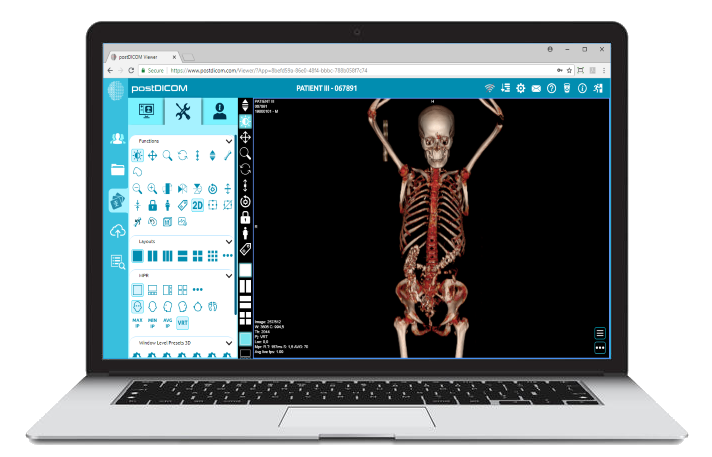
|
Cloud PACS and Online DICOM ViewerUpload DICOM images and clinical documents to PostDICOM servers. Store, view, collaborate, and share your medical imaging files. |