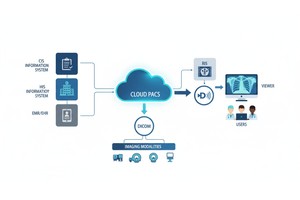
Healthcare organizations are steadily transitioning diagnostic imaging infrastructure to cloud-based environments. From independent imaging centers to multi-site hospital systems, cloud PACS platforms are replacing traditional on-premise storage models. The benefits of this are really good: it can grow as needed people can use it from anywhere working together is easier and it is better, at dealing with problems.
Despite these things one worry keeps coming up in meetings and when people talk about technology plans:
How secure is cloud storage for medical imaging?
Medical imaging files are not ordinary datasets. DICOM studies contain protected health information (PHI), diagnostic interpretations, timestamps, device metadata, and patient identifiers. A breach is not a technical problem. It also means we have to deal with penalties and damage to our reputation.. It can really disrupt the care we give to patients. When security fails in a healthcare setting it hurts the trust patients have in us. It can stop us from doing our jobs properly. A breach, in healthcare is a deal because it affects patient trust and how we operate every day.
Historically, many institutions equated physical control of on-site servers with greater security. The thing is, when we look at how people keep their computer systems safe these days we can see that being close to something does not mean it is safer. Modern cybersecurity analysis shows this. Physical proximity does not mean you have protection, for your computer systems. Cybersecurity analysis makes this pretty clear. Security is determined by architecture, encryption enforcement, access governance, monitoring controls, and compliance alignment — not by server location.
The big question is whether the cloud environment is set up and taken care of in a way. We need to make sure the cloud environment is secure. The main thing is to know if the cloud environment is really secure when it is configured, run and managed. Is the cloud environment secure?
• Cloud Storage For Imaging Can Be Really Secure. It Can Be More Secure Than The Traditional Systems We Have In Our Own Offices When We Set It Up The Right Way.
• The Security Of Cloud Storage For Imaging Depends On A Few Things. It Depends On How We Enforce The Rules For Encrypting Data. It Also Depends On Who Has Access To The Data And How We Monitor The System.
• The Most Common Vulnerabilities In Cloud Imaging Systems Stem From Misconfiguration, Weak Credentials, Or Inadequate Governance — Not From The Cloud Infrastructure Itself.
• Regulatory Compliance Requires Both Technical Safeguards (encryption, Audit Logging) And Contractual Protections Aligned With Healthcare Data Laws.
• Evaluating A Cloud Pacs Provider Should Involve Reviewing Security Documentation, Certifications, Data Residency Policies, And Transparency — Not Relying Solely On Marketing Claims.
Security in cloud-based medical imaging environments is not defined by the word “cloud.” It is defined by the technical safeguards and governance mechanisms implemented within that environment. When properly set up modern cloud PACS systems give protection. This protection is often stronger than, on-premise setups.
The following controls make up a cloud imaging infrastructure.
Medical imaging data stored in the cloud should be encrypted at rest using strong industry-standard algorithms, such as AES-256. This way medical imaging data will be safe even if someone gets into our storage without our permission. The medical imaging data will be impossible to read without the keys to decrypt the medical imaging data. The data will stay safe because the cryptographic keys are needed to unlock it. The cryptographic keys are what make our data secure.
Encryption at rest protects:
• Dicom Image Files
• Patient Metadata
• Associated Reports
• Backups And Archives
A cloud PACS provider should make sure that cloud PACS is always encrypted. They should not give you a choice to encrypt cloud PACS or not. Cloud PACS provider should have rules, for managing keys so that only the right people can decrypt cloud PACS.
Imaging data frequently moves between modalities, storage systems, radiologists, and referring physicians. During transmission, data must be protected against interception.
Secure cloud imaging systems use something called Transport Layer Security to keep the data safe when it is moving around. This helps protect the following things:
• Dicom Uploads
• Image Downloads
• Web-based Viewer Access
• Api Integrations
Without encrypted transmission channels, imaging studies could be vulnerable to interception on unsecured networks. Using Transport Layer Security protocols really helps to cut down on that risk. Transport Layer Security protocols make things a lot safer.
Not every person who uses the system should be able to see all the medical imaging data. Medical imaging data is very sensitive. Role-Based Access Control or RBAC for short is a way to control who can see what. It limits access to medical imaging data based on the responsibilities of each user so medical imaging data is only available to the people who really need to see it, like doctors and medical staff who work with medical imaging data.
For example:
• Radiologists May Have Full Diagnostic Access.
• Referring Physicians May Have View-only Permissions.
• Administrative Staff May Have Restricted Metadata Access.
By segmenting permissions, RBAC reduces the likelihood of internal misuse or accidental exposure. Proper access governance is often more critical than the storage environment itself.
Credential compromise remains one of the most common entry points for healthcare data breaches. Even strong passwords can be exposed through phishing or social engineering.
Multi-Factor Authentication (MFA) adds an additional verification layer beyond username and password. This may include:
• One-time Verification Codes
• Authentication Apps
• Hardware Security Keys
Using Multi Factor Authentication really helps to cut down the risk of people getting into systems when they are not supposed to especially when people are working from home or from lots of places. Multi Factor Authentication is a help, in these situations.
Security is not about stopping bad things from happening. It is also about being able to see what is going on. Secure cloud PACS platforms should keep detailed records of everything that happens these records are, like a diary that shows things like:
• Login Activity
• File Access
• Data Downloads
• Permission Changes
• Sharing Events
Continuous monitoring allows administrators to detect unusual behavior patterns and respond quickly to potential incidents. Audit logging is also essential for regulatory compliance and forensic investigation.
Healthcare operations cannot tolerate prolonged downtime. Cloud imaging systems must implement redundancy and disaster recovery planning to ensure business continuity.
Secure cloud architectures typically provide:
• Automated Backup Replication
• Geographic Redundancy
• High-availability Infrastructure
• Defined Recovery Time Objectives (rto)
Cloud storage is really different from storing things on one site. When you set up an environment the right way it can handle problems like hardware breaking down natural disasters or when the power goes out in one area. This is because cloud storage is not, in one place so if something bad happens in one place the cloud can still work. Cloud environments can offer protection against these kinds of problems.
Cloud infrastructure can provide strong security controls, but no environment is immune to risk. In healthcare, the majority of security incidents do not result from inherent weaknesses in cloud architecture — they result from misconfiguration, credential misuse, or governance gaps.
Understanding these risks helps you see if a cloud PACS solution is really secure.
One of the most common vulnerabilities in cloud environments is improper configuration. Storage containers that are not correctly permissioned or access policies that are too broad can unintentionally expose sensitive data.
In medical imaging systems, this could mean:
• Publicly Accessible Storage Endpoints
• Excessive User Permissions
• Unrestricted Api Access
Cloud security depends heavily on correct configuration and ongoing policy review. Using machines to check for security problems and being very careful, about who can get in makes the cloud a lot safer. Cloud security is something we need to think about all the time.
Compromised credentials remain a leading cause of healthcare data breaches. If users rely solely on passwords — especially reused or weak passwords — attackers can gain unauthorized access through phishing or brute-force attempts.
In places where we take pictures or do imaging if someone gets a hold of our login information they could get into things they should not be able to access, like:
• Diagnostic Studies
• Patient Identifiers
• Shared Imaging Links
Multi-factor authentication, password rotation policies, and account monitoring are critical safeguards against this threat vector.
Not all security risks originate externally. Insider threats — whether intentional or accidental — can also expose sensitive imaging data.
Examples include:
• Over-privileged Users Accessing Unnecessary Records
• Improper Downloading Of Imaging Studies
• Unauthorized Sharing Outside Approved Workflows
Role-based access control and activity monitoring reduce the likelihood and impact of insider misuse.
Healthcare organizations are frequent targets of ransomware attacks due to the critical nature of clinical operations. In traditional on-premise PACS systems, ransomware can encrypt local storage and disrupt access to imaging archives.
Cloud environments that are set up correctly can really help lower this risk. They do this by:
• Immutable Backups
• Segmented Access Policies
• Continuous Monitoring
• Rapid Restoration Capabilities
However, if governance practices are weak, ransomware risks can still propagate through compromised credentials or connected endpoints.
Security is not only technical — it is contractual and procedural. A cloud PACS provider that cannot clearly document:
• Encryption Standards
• Data Residency Policies
• Audit Logging Practices
• Compliance Certifications
Introduces uncertainty into the risk profile.
Healthcare organizations must verify security documentation rather than relying on generic claims of “HIPAA compliance” or “secure cloud storage.”
Security discussions around medical imaging often default to a simplistic assumption: if servers are physically inside the hospital, they must be safer. In practice, security strength depends less on location and more on governance, maintenance discipline, and architectural safeguards.
Both on-premise and cloud-based PACS environments can be secure — or vulnerable — depending on implementation quality. However, the operational realities of modern healthcare IT have shifted the security balance in important ways.
Below is a structured comparison of key security factors.
| Security Factor | On-Premise PACS | Basic Cloud Storage | Enterprise Cloud PACS |
| Encryption at Rest | Often configurable, may require manual setup | Variable | Enforced by default (e.g., AES-256) |
| Encryption in Transit | May depend on internal network setup | Supported but not always enforced | Enforced via TLS-secured communication |
| Access Control | Locally managed, risk of over-permissioning | Basic user control | Structured Role-Based Access Control (RBAC) |
| Multi-Factor Authentication | Not always implemented | Optional | Typically supported and recommended |
| Audit Logging | May require separate systems | Limited visibility | Integrated logging and activity tracking |
| Backup & Disaster Recovery | Local backup, often single-site | Cloud backup but limited architecture | Geo-redundant, automated replication |
| Ransomware Resilience | Vulnerable if local storage is encrypted | Depends on provider configuration | Often includes immutable backups & rapid restore |
| Compliance Documentation | Internal responsibility | Variable | Provider-supported documentation & certifications |
On-premise systems place full responsibility on the healthcare organization’s internal IT team. This includes:
• Hardware Security
• Patch Management
• Backup Integrity
• Network Segmentation
• Continuous Monitoring
Smaller institutions may lack dedicated cybersecurity teams to manage these responsibilities at enterprise standards.
In contrast, a properly designed enterprise cloud PACS environment benefits from:
• Dedicated Infrastructure Security Teams
• Automated Updates And Patching
• Built-in Redundancy
• Continuous Monitoring Systems
• Scalable Authentication Controls
This does not mean cloud systems are automatically secure. It means that when governance is properly enforced, cloud environments can offer structured safeguards that exceed what many on-site systems can sustain over time.
The security gap between cloud and on-premise systems is rarely about geography is about:
• Configuration Discipline
• Access Management Policies
• Monitoring And Audit Practices
• Compliance Alignment
• Vendor Transparency
A poorly configured cloud system can be vulnerable. A poorly maintained on-premise system can be equally — or more — exposed.
Security outcomes depend on control enforcement, not server location.
Security in medical imaging is inseparable from regulatory compliance. The best security measures are not good enough if they do not follow the rules for protecting healthcare data and the agreements that are in place.
Cloud storage for imaging needs to be safe and it also needs to meet the legal requirements that are in place, for medical imaging.
Under the Health Insurance Portability and Accountability Act (HIPAA), medical imaging data containing protected health information (PHI) must be secured through administrative, physical, and technical safeguards.
For cloud PACS environments, this typically requires:
• Encryption Of Phi At Rest And In Transit
• Access Control Mechanisms
• Audit Logging And Monitoring
• Breach Notification Procedures
• A Signed Business Associate Agreement (baa) With The Cloud Provider
Compliance is something that both the healthcare organization and the cloud service provider have to work on. The healthcare organization and the cloud service provider must share this responsibility to make sure everything is done correctly. UCompliance is a part of this and the healthcare organization and the cloud service provider have to take it seriously.
 - Created by PostDICOM.jpg)
Under the General Data Protection Regulation (GDPR), patient imaging data is classified as sensitive personal data. This introduces strict requirements around:
• Lawful Basis For Processing
• Data Minimization
• Access Transparency
• Breach Reporting Timelines
• Cross-border Data Transfer Restrictions
Cloud PACS providers serving European institutions must demonstrate appropriate data protection controls and clearly define data residency policies.
One frequently overlooked consideration in cloud imaging is where the data physically resides. Some jurisdictions impose restrictions on storing patient data outside national borders.
Healthcare organizations should verify:
• The Geographic Regions Where Data Is Stored
• Whether Backups Are Replicated Across Borders
• How Cross-border Transfers Are Secured
• Whether Contractual Agreements Reflect Jurisdictional Obligations
Transparency in data residency policies is a key indicator of a mature cloud security posture.
Compliance frameworks often require retention of access logs and activity records for defined periods. Secure cloud PACS systems should maintain:
• Detailed Audit Trails Of User Activity
• Access Timestamps
• File Interaction History
• Administrative Configuration Changes
Audit records are critical not only for regulatory review but also for forensic investigation in the event of a security incident.
A central concept in cloud security governance is the shared responsibility model.
In simplified terms:
• The Cloud Provider Is Responsible For Securing The Underlying Infrastructure.
• The Healthcare Organization Is Responsible For User Governance, Access Discipline, And Policy Enforcement.
Security failures often occur when organizations assume that moving to the cloud transfers all responsibility to the vendor. In reality, governance must remain active and deliberate.
Security claims in healthcare technology are easy to make and difficult to verify. Nearly every cloud imaging platform advertises encryption and compliance alignment. The difference between a secure system and a vulnerable one often lies in documentation transparency, enforcement mechanisms, and governance maturity.
When evaluating a cloud PACS provider, healthcare organizations should move beyond marketing language and assess measurable security indicators.
A provider should clearly document:
• Encryption At Rest Standards (e.g., Aes-256)
• Encryption In Transit Enforcement (tls Protocols)
• Key Management Policies
• Whether Encryption Is Enforced By Default Or Configurable
The security should be a part of the platform, from the start. This way the Security is always there to protect you you do not have to think about it. The Security should be built into the platform so you can just use it without worrying.
A mature cloud PACS environment should provide:
• Role-based Access Control (rbac)
• Granular Permission Management
• Multi-factor Authentication (mfa) Support
• Session Monitoring Capabilities
Organizations should also confirm how easily access can be revoked and how quickly permissions propagate across the system.
Security visibility is as important as security prevention. Providers should offer:
• Detailed Activity Logs
• Download And Sharing Tracking
• Administrative Change Records
• Alerting Mechanisms For Suspicious Behavior
The ability to generate audit reports on demand is particularly important during compliance reviews.
A secure imaging platform must protect against both data breaches and operational downtime.
Key questions include:
• Are Backups Automated?
• Is Data Replicated Across Geographic Regions?
• What Are The Defined Recovery Time Objectives (rto)?
• Are Backups Protected Against Ransomware Modification?
Redundancy should be systematic, not manual or reactive.
Healthcare organizations should request:
• Documentation Supporting Hipaa Or Gdpr Alignment
• Data Residency Policies
• Business Associate Agreements (if Applicable)
• Independent Security Audits Or Certifications
Transparency is a thing to look at when we think about security maturity.
Beyond technical features, organizations should assess the provider’s approach to security governance:
• Do They Publish Security Practices?
• Are Updates And Patches Applied Proactively?
• Is There A Documented Incident Response Process?
• Is Security Positioned As A Core Principle Or A Marketing Add-on?
Security culture often predicts long-term resilience more accurately than feature lists.
Cloud PACS can be safer than on-premise systems when implemented with enforced encryption, structured access controls, continuous monitoring, and automated backup redundancy. On-premise systems rely heavily on internal IT maintenance discipline. Security strength in both environments depends on governance quality, not server location.
A secure cloud PACS should implement strong encryption at rest (such as AES-256) and encrypted transmission using TLS protocols. Encryption should be enforced by default, not optional. Proper key management policies are also essential to prevent unauthorized data decryption.
No system can guarantee complete immunity from ransomware. However, modern cloud PACS platforms can significantly reduce impact through immutable backups, segmented access controls, multi-factor authentication, and rapid restoration capabilities. Governance and credential security remain critical components of ransomware resilience.
Public cloud infrastructure can be highly secure when configured correctly. Major cloud providers invest heavily in infrastructure-level security. The primary risk typically arises from misconfiguration, weak access control, or insufficient governance — not from the public cloud infrastructure itself.
Secure cloud PACS platforms protect shared imaging data through encrypted transmission channels, permission-based access links, audit tracking, and optional time-limited access controls. Proper sharing governance prevents unauthorized redistribution of sensitive studies.
Healthcare organizations should look for documented alignment with HIPAA (for U.S. entities), GDPR (for EU entities), and potentially independent security audits such as SOC reports or ISO-related certifications. Providers should clearly document their compliance posture rather than relying on generalized security claims.
Data storage location depends on the cloud provider’s regional infrastructure and configuration policies. Healthcare organizations should verify data residency policies, geographic storage regions, and backup replication practices to ensure compliance with local regulations.
Cloud security follows a shared responsibility model. The provider secures the underlying infrastructure, while the healthcare organization remains responsible for user governance, credential discipline, access policies, and compliance enforcement. Security requires active participation from both parties.
|
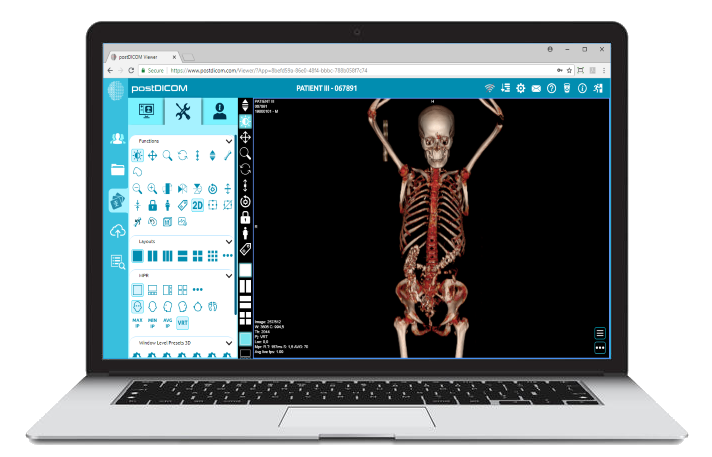
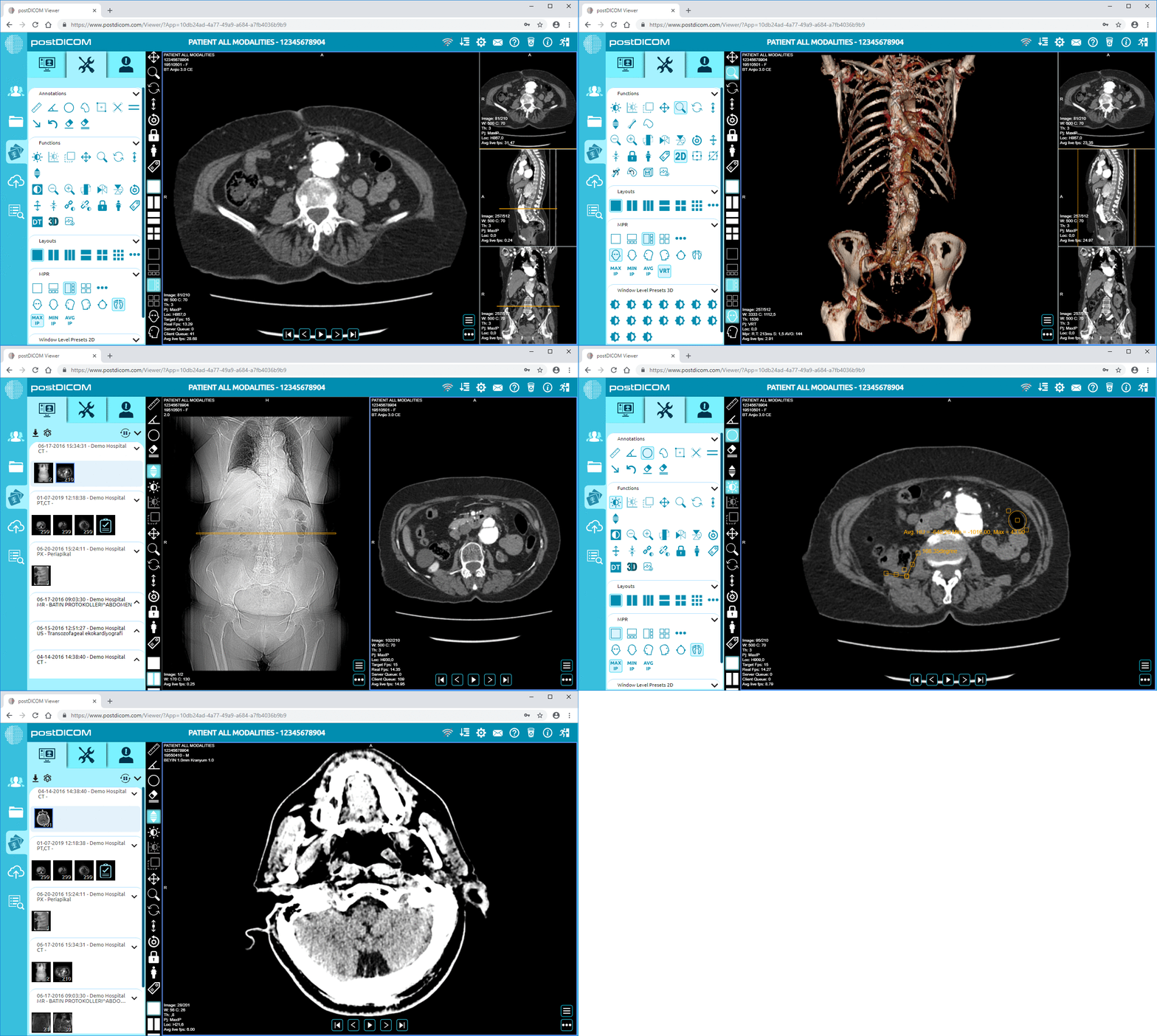
Cloud PACS and Online DICOM ViewerUpload DICOM images and clinical documents to PostDICOM servers. Store, view, collaborate, and share your medical imaging files. |